


Three Ideas That Turn a Static SOP Folder Into a Living Knowledge Base
I hear about all these amazing things people are doing with AI, building applications, automating this and that, building agents, building agent teams, orchestrating whole workflows.
The real challenge for me is that I am sitting here building a system to improve my efficiency and productivity, and yet I feel further behind than I did last week. I know I don’t have all the systems and processes in place to get it all done yet.
And the question that I keep trying to balance is, what do I focus on that serves my business tomorrow vs what builds the future? Do I build the system now, or do I focus on documenting who we are, who we serve, and how we serve them?
Honestly, I am trying to both at the same time because I can’t afford to forgo the future at the expense of now AND I can’t forgo now at the expense of the future.
So here are some things I am trying in my own agency right now to make progress on both at the same time.

You don’t need a complex new tool to start a Verification Docket. A simple spreadsheet with an owner and a review cadence is enough to get started today.
Idea #1: The Verification Docket
I had plenty of documents written down for my agency in the summer of 2024. That was not the problem. The problem was that when I finally sat down and opened them, half of what was on the page was three versions behind how we actually worked. The document existed. The governance around the document did not. Nobody owned it. Nobody was on the hook to look at it every month or even once a quarter.
I had a conversation with Brian Gerstner, who runs White Label IQ and has been in the agency world for 25 years, and I asked him what actually keeps a knowledge base alive at his shop.
He said every document they create has to have:
- an owner. A person with a name who is responsible for the document’s accuracy and completeness.
- a verification schedule. Every 30 or 60 days, a human opens the document and signs off on it.
I love this idea because it ensures that the SOPs and business knowledge remains current. But my business, like yours, has numerous processes and workflows. Where do we begin?
Here’s one thing you can try that won’t take a lot of time but will get you started on the journey of improving your business knowledge.
Set up a Verification Docket for the three to five foundational documents that matter most in your agency. You do not need a new tool to do this. A simple spreadsheet is enough.
- Pick the three to five documents where document drift hurts the worst. Candidates for most of us to consider: the ICP (Ideal Client Profile) document, the brand voice guide, the service delivery playbook, the client onboarding checklist, and the internal values document. Pick between three and five.
- Open a simple spreadsheet and add five columns: Document name, Owner (one named person, not a team), Review cadence (30 days, 60 days, or 90 days), Last reviewed date, and a memo on what was changed. The Last reviewed date column is the accountability anchor, when the review slides, you see it in the sheet before you see it on the calendar.
- Take a few minutes to fill it out. If you cannot name an owner for a document, that is a signal that the document should belong to the person who will open and use it every month.
- Put the next review date on the owner’s calendar as a recurring 30-minute appointment with the document name in the title.
- At the next review, run this document drift audit prompt with the current version of the document pasted in. The prompt does one thing a solo reread cannot, it forces you to name what has changed in the last six months before it evaluates the document, which is where drift hides.
You are a candid operations advisor helping me check for drift in a foundational document in my agency. I am pasting the current version of the document below and I need an honest read on whether it still reflects how we actually work today.
Document type: [ICP / brand voice / delivery playbook / onboarding checklist / other]
Document content: [paste the current document here]
Context about the last six months: [provide as much context as you can naming anything about your team, clients, or services that has changed since this was written]
Ask me up to 5 clarifying questions, one at a time, to pressure-test whether the document still matches reality. After I answer all your questions, give me (1) a list of the specific places the document has drifted from current practice, (2) the single change I should make today that would close the biggest gap, and (3) the question I should ask my team at our next standup to check whether your reading is accurate.
30 min setup, 20-30 min per review
Give yourself 30 minutes to set up the docket for your first three to five documents, and 20 to 30 minutes per review at the assigned cadence. That is the entire investment for the first month.
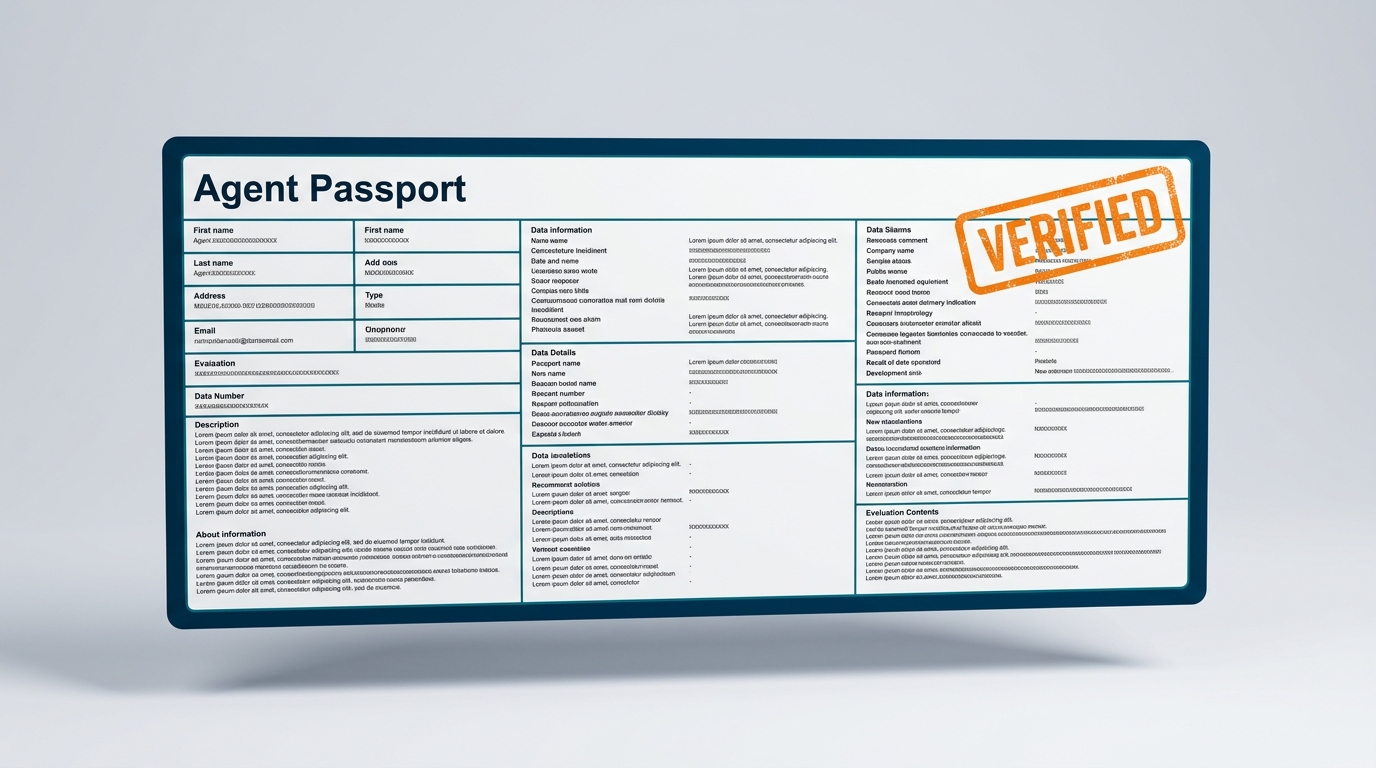
Treat your Agent Passport like a high-value digital asset. Documenting the inputs, outputs, and failure modes is the only way to ensure your team can actually run the agents you build.
Idea #2: The Agent Passport
The document review process is something I have started doing in earnest this quarter, particularly as I have started building agents. I need good documentation on what I have built, because the moment I try to hand an agent to a teammate or a client, I realize how much of how it works is living only inside my head. That is the gap that hit me hardest. The agent feels like the output, so the documentation of the agent feels redundant, right up until somebody else needs to run it.
The Agent Passport is something I am doing on every agent build to make sure there is a clear understanding of what the agent is doing.
1. Purpose. What is this agent supposed to do, in one sentence a non-technical teammate can understand. Example: “This agent drafts first-pass status report updates for weekly client reports from a Zoom transcript.”
2. Inputs. What does the user need to give the agent to make it work. Be specific. Example: “A Zoom transcript in plain text, the client name exactly as it appears in the master client list, and the reporting period in YYYY-MM-DD format.”
3. Outputs. What does the agent return, and in what format. Example: “A three paragraph update, a risk flag line if any are detected, and a single suggested action for the next week.”
4. Known failure modes. The two or three places this agent gets things wrong the most often, in plain language. This is the most important section. Example: “Misreads tone on disagreement, tends to label it as a risk when the client is just venting. Does not pick up budget changes if they are discussed after the 40 minute mark of the call.”
5. How to update it. Where the prompt, the instructions, or the tool lives, and who updates it. Example: “Prompt is in the team Notion, page Agent Passports, section Status Report Drafter. Updated by Erik. Do not edit directly, submit a change request in the adjacent comment thread.”
6. Update log. One line per update with date, who made the change, and one sentence on what changed. Example: “2026-03-14, Erik, added a line about surfacing scope creep signals.”
I want you to write the first Passport for one agent you have already built. It does not matter which one. Even if the agent is ugly, even if you built it last weekend and have not used it since, pick it and write its Passport. The first one is the hardest because it is the one that shows you how much was living in your head.
20 min first passport, 10 min each after
Give yourself 20 minutes to draft the first Agent Passport. Ten minutes for each subsequent one, because the template is already in your head by the time you get to the second. Store the finished Passport in the same place the agent lives, so anyone running the agent finds the Passport first.
Every time the agent is updated, then the Agent Passport is updated with the change and noted.
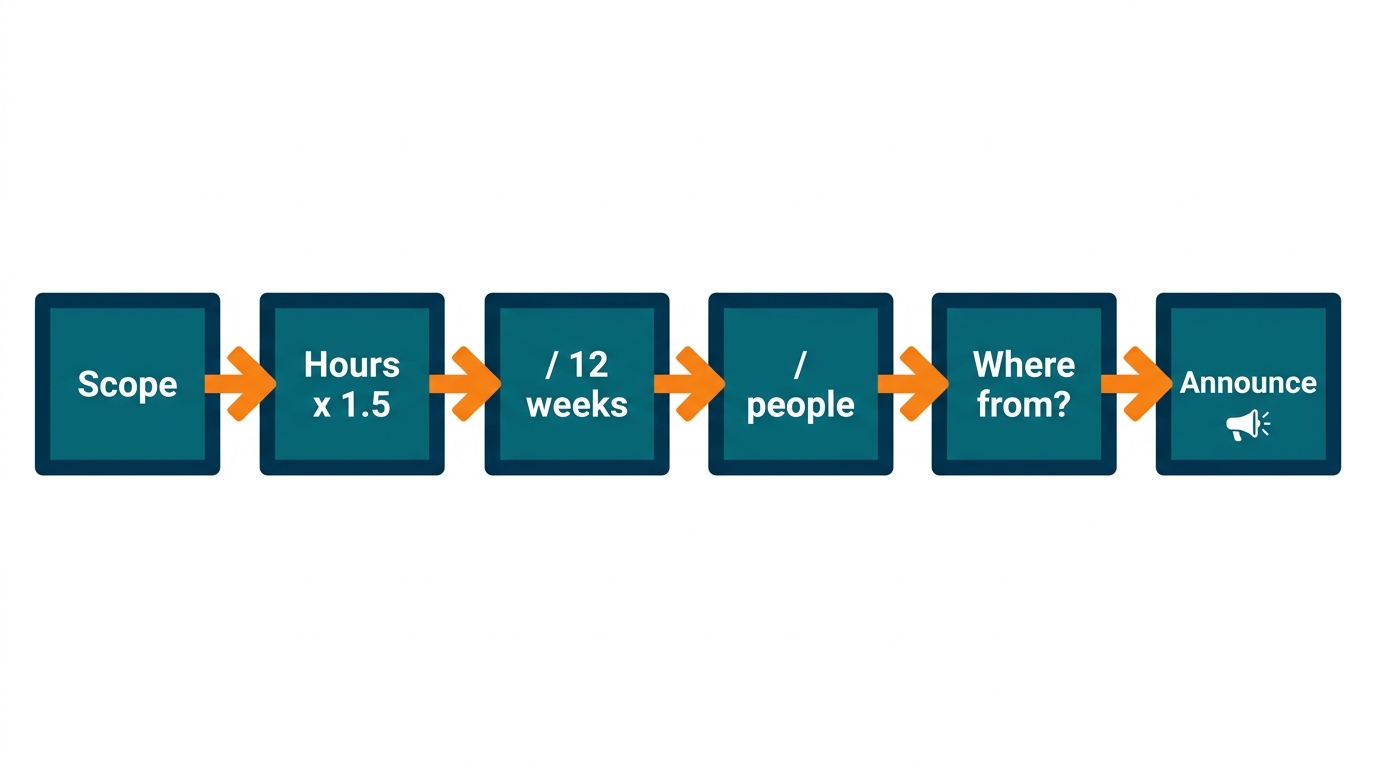
The Bandwidth Budget diagnostic. Don’t just squeeze documentation into the margins of the week. Calculate the hours and name exactly where they will come from before you start.
Idea #3: The Bandwidth Budget
Here is the part of this that I am still learning in real time, and it is the accountability piece, the one that turns a mandate into a practice. Between building the system, running client work, writing proposals, and documenting my own agents I have not yet named the specific hours per week I need to pull out of billable work to make the documentation practice survive the next client fire. That is exactly why I am a little overwhelmed this month. I am suggesting this idea in part to force myself to do it.
Brian Gerstner was the first person I heard say this out loud on a podcast, and I want to give him credit for naming it plainly. White Label IQ had to reduce their utilization and billable expectations because the documentation and review work they were adding is real work that takes time to do, and pretending it would fit into the margins of the week would have meant their team would have abandoned the process after the first month. Most of us know that extra work requires extra time, but Brian budgeted for it, and then told his team.
Here is the Bandwidth Budget diagnostic. Run this before you start any documentation cycle, not in the middle of one.
- Name the documentation work you are committing to for the next 90 days. Be specific. Example: “Build the ICP, the delivery playbook, and the client onboarding checklist into living documents with owners and a 30-day review cadence. Draft Agent Passports for the three most critical agents we already use.”
- Estimate the honest hours the work will take. Multiply each document estimate by 1.5 because it always takes longer than you think. Write the number down.
- Divide the number by the 12 weeks in the 90-day cycle. That gives you the weekly documentation load.
- Divide the weekly load by the number of people who will do the work, usually you plus one or two others. That gives you the per-person per-week hour commitment.
- Look at the per-person per-week number and ask the honest question. Where will those hours come from? If the honest answer is “we will squeeze it in,” you have already set the practice up to fail. The practice only survives if the hours come out of a specific named place. Candidates: client discovery meetings with low conversion rates, internal meetings that could be async, stretch-scope work you have been doing for free, or a planned reduction in billable utilization for the cycle. If you do not already have a specific place in mind to grab the hours, start with the internal meetings because that is the least painful and the fastest to act on.
- Announce the Bandwidth Budget to the team before the cycle starts. Use this prompt to draft the announcement:
You are a candid internal communications advisor helping me write a short team announcement about a 90-day documentation build my small agency is committing to. I need the announcement to be honest about the billable utilization tradeoff rather than pretending the work will fit into the margins of the week.
My team: [paste size and the roles of the people who will do the documentation work, for example: “5 people, owner plus two account managers plus two delivery specialists”]
The documentation work we are committing to: [paste the list from Step 1]
The total hours I have budgeted for the 90-day cycle: [paste the number from Step 2]
The per-person per-week hours: [paste the number from Step 4]
Where those hours will come from: [paste the specific place from Step 5]
Before you write the announcement, ask me up to 3 clarifying questions, one at a time, to pressure-test whether the per-person per-week number I gave you is realistic given the roles and the rest of the week. After I answer all your questions, then write a short team announcement in a direct honest peer tone (no corporate boilerplate) that names what we are doing, why it matters, how many hours it will cost per person per week for the next 90 days, and where those hours will come from. Close with one sentence inviting pushback if the budget is unrealistic for any specific person’s week. Do not promise the work will be easy. Do not promise it will be finished in 90 days.
40 min total
Give yourself 30 minutes to run the full Bandwidth Budget diagnostic for a 90-day cycle, and 10 minutes to draft the team announcement with the prompt. That is 40 minutes to avoid the quiet abandonment that kills most documentation practices in week three.
Pick One and Start Today
If you are reading this alone at your desk and you do not know where to start, start with the Verification Docket. It has the lowest activation cost and the highest probability of producing a visible result inside 30 minutes.
You now have three ideas.
- The Verification Docket, which takes 30 minutes and uses documents you already have.
- The Agent Passport, which takes 20 minutes and makes one of your existing agents actually transferable.
- The Bandwidth Budget, which takes 40 minutes and is the one move that protects the other two from getting quietly abandoned.
Pick one and start it today. If you have not done the LinkedIn article’s (The One Thing Nobody Has Time to Do) one honest hour yet, start with the Verification Docket. If you already did that hour and have your three names, move to the Agent Passport. Save the Bandwidth Budget for the end of your first 30 days of practice, when the tradeoff starts feeling real. Drop a comment below naming the one idea you are starting with, and I will reply to every one of them.
Listen to episode 105 of the Digital Velocity Podcast with Brian Gerstner of White Label IQ.
Read The One Thing Nobody Has Time to Do on LinkedIn.